Most schools do not choose management software based on their needs, but on a nice presentation in a one-hour meeting. Two months later the accountant discovers that installments are not recorded the way he wants, and the student affairs employee goes back to the old Excel file. These twelve questions help you avoid that scenario before you pay.
Before the questions: know what you want to solve
Sit down with three people before any demo: the accountant, the student affairs officer, and the school vice principal. Ask each one to write down the three tasks that take most of their time each week. You will get a realistic list such as: matching second-installment receipts, calling the parents of absent students after the first period, or preparing class lists at the start of the year.
This list is the real comparison standard. Any software that does not clearly solve three or four of these items does not deserve to be continued with, however long its feature list is.
Questions about data and daily work
1. Does the software cover the whole student lifecycle?
A student in a school is not a row in a table. A student has a file, a parent, a class, a stage and a grade, and may be moved between classes in the middle of the year. Ask: can more than one child be linked to one parent? Can a student be moved from one class to another without re-entering their data? Can fields specific to your school be added, such as blood type or second language?
2. Can the data be exported easily?
Ask the vendor to export the student list of a particular class to Excel and PDF in front of you. Export is not a luxury; it is what you will need when the education authority asks for a list, and it is also your safeguard if you ever decide to move to another system.
3. How is attendance actually recorded each morning?
Ask about the method, not about whether the feature exists. Does the teacher record absence from their phone inside the classroom? Does the software support attendance by QR code or fingerprint devices? And does the parent get a notification on absence, or does it still depend on a phone call from the administration?
4. Does the software understand how you collect fees?
Every school has its own system: tuition, books, transport and activities, discounts for siblings or staff children, and installments over periods. Ask to test a real case: a student with tuition and transport fees, who has a discount, and paid part in cash and part by bank transfer. If the vendor needs a "workaround" for this simple case, expect bigger problems later.
Questions about technology and usage
5. Is the software cloud-based or installed on a computer in the school?
Software installed on one machine means the principal can see nothing while away from school, and a machine failure can stop work. A cloud system works from the browser on any device. We discussed the difference in detail in cloud system or software installed on the school's computer.
6. Is the interface fully in Arabic?
Many programs translate the menus and leave reports and messages in English. In international and language schools you may need both languages together. Open the reports and notifications yourself and check the page direction and the field names.
7. Does it work on a phone?
A teacher will not sit in front of a computer to record absence, and the principal wants to see today's numbers while standing in the morning assembly. Ask: does the software work from a phone browser? And if a mobile app is mentioned, ask clearly: is it available now or coming later? Try what is actually available today.
8. How does the software reach parents?
Communication is what parents notice most. Ask about the available channels: SMS, WhatsApp, email, in-app notifications. And ask whether a message can be sent to a whole class or stage with each student's name inside the message, and whether there is a log showing what was sent and what failed.
Questions about management and cost
9. What does the principal see in the morning?
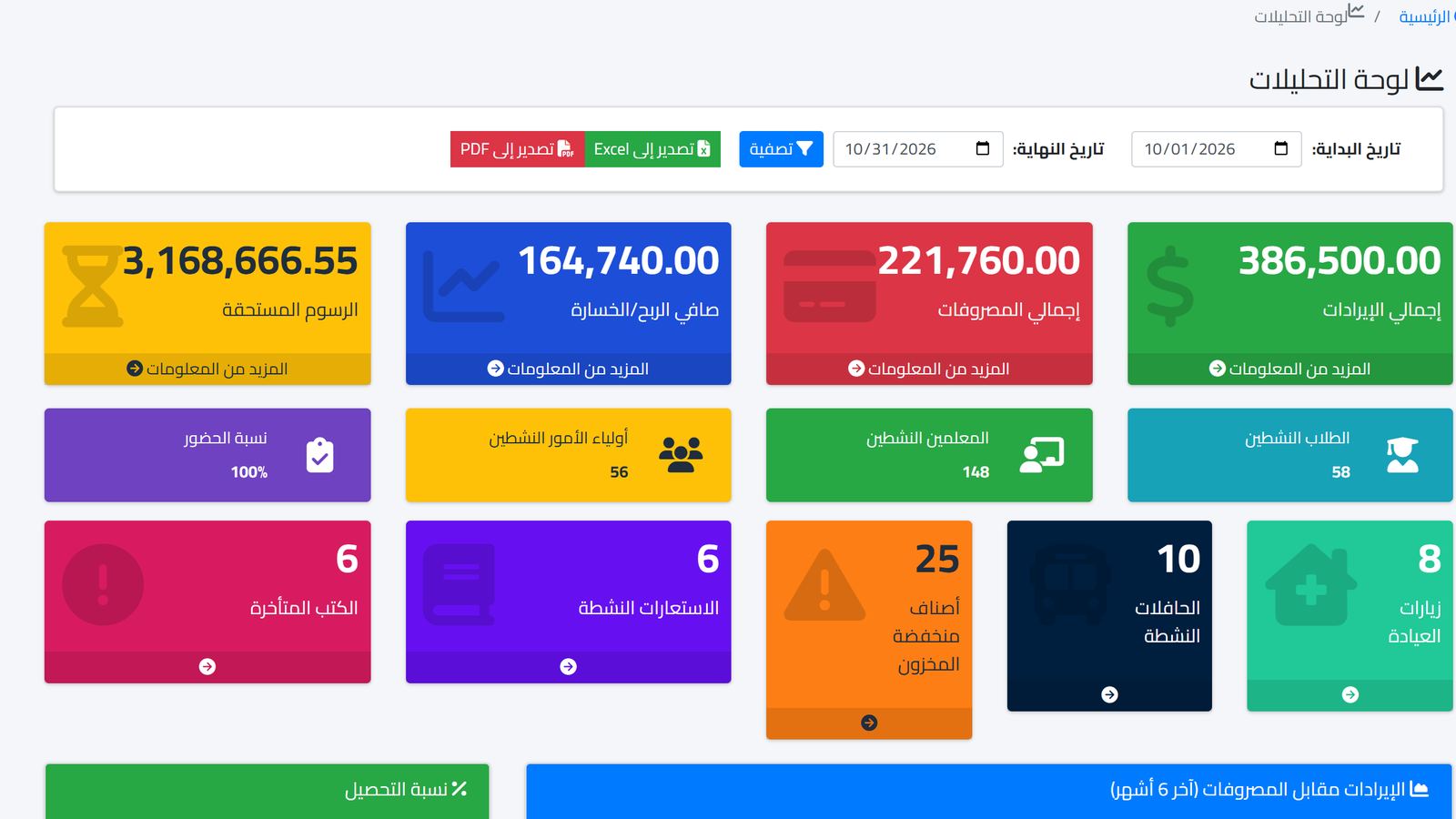
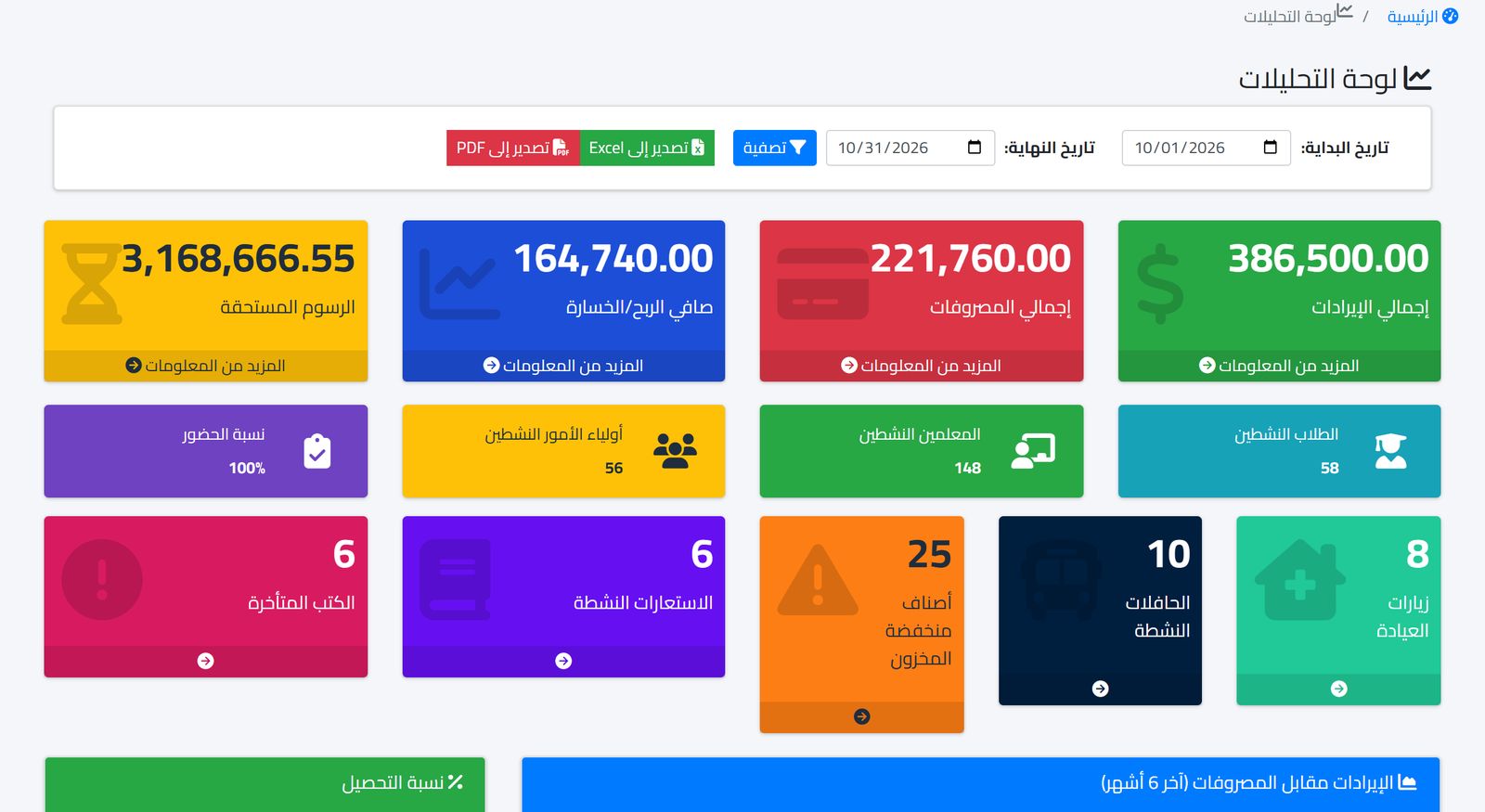
Ask to see the principal's dashboard. It should answer in one glance: how much is due in fees? How much came in and how much went out? What is today's attendance rate? A dashboard that does not answer these questions will make the principal ask staff for reports by hand, as before.
10. What does the price include?
Some offers look cheap and then the picture becomes clear: the bus module costs extra, payroll costs another amount, and technical support is a separate subscription. Ask for a written offer that states the included modules, the maximum number of students, and what happens if the number grows in the middle of the year. If you are in Egypt, you may find school management software prices in Egypt useful.
11. Who will migrate our existing data?
Migrating student, parent and fee data from the old system or from Excel files is the hardest part of any change. Ask clearly: is migration included? Who does it? How long does it take? A school that starts the year with incomplete data will spend the first term correcting it.
12. Can we try before we pay?
A demo shows the best of the software. A real trial shows the truth. Ask for a trial period in which your own staff enter a real class and real payments. Their reactions during the trial week are more honest than any presentation.
How to compare answers across several vendors
Put the twelve questions in a simple table and give each answer a score from zero to two: zero if the feature does not exist or is only promised, one if it exists but needs a workaround, and two if you saw it working in front of you on a case from your school. Do not accept "we can add it for you" as a complete answer.
Then give more weight to the questions tied to the tasks you collected from your team at the start. A school suffering from late installments cares about question four more than any other, and a school with a large bus fleet will ask about the transport module in more detail. The table in the end will not decide for you, but it prevents the decision from being made on the impression of the presentation alone.
Common mistakes when choosing
- Leaving the decision to one person who does not use the software daily.
- Comparing the number of features instead of comparing how they solve the three or four most important problems.
- Ignoring the cost of data migration and staff training.
- Starting go-live in the middle of the collection season or exams instead of the start of a term.
- Not asking about data export, then discovering later how hard it is to leave the system.
How Prima Schools answers these questions
Prima Schools is a cloud system that works from the browser on computer and phone, with an Arabic and English interface, and comes with two apps for iPhone and Android: Prima Schools for students and parents, and Prima Staff for teachers and staff. To evaluate any school app, read how to choose a school app: 10 criteria.
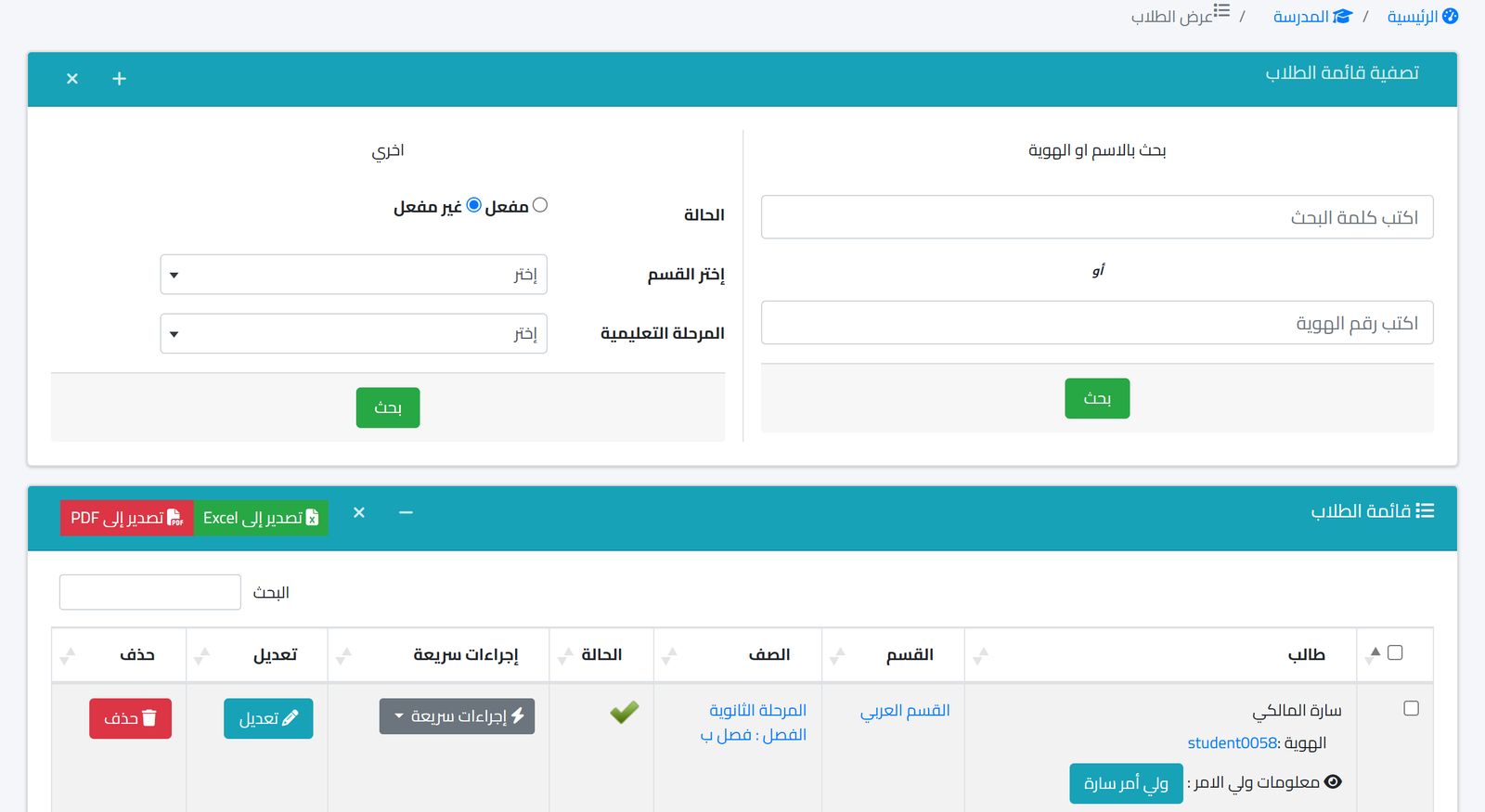
In student affairs, as in the image above, you search by name or ID number, filter by department and stage, and export to Excel and PDF. A parent is linked to their children, a student is moved between classes from a dedicated screen, and school-specific data fields can be added. Attendance is recorded daily by class, by QR code with the camera, or with ZKTeco fingerprint devices, with a notification to the parent.
In finance you define fee types and structures for each academic year in any currency, record discounts and payments with receipts and payment methods, and view the financial reports. Communication runs through a notification center with SMS, WhatsApp, email and in-app channels, with a log of sent, pending and failed messages. The analytics dashboard shows fees due, revenue, expenses, net result and attendance rate on one screen. Full details are on the features page.
Prices are annual and published on the pricing page by number of students, and the code FREEMIGRATION gives free data migration, which answers the eleventh question directly.
Frequently asked questions
How long does choosing software take?
Two to three weeks is usually enough: a week to gather your team's needs and attend demos, and a week of real trial in which staff use the software themselves.
Should I start with all the modules at once?
It is better to start with student affairs, attendance and fees, then add buses, payroll and inventory after the team gets used to the system.
Who should attend the software demo?
The accountant, the student affairs officer and the vice principal at least, because they are the ones who will work on it daily and know the details that do not show up in a demo.
The best way to answer these twelve questions is to see them in front of you on data that resembles your school's data. Book a demo and bring the task list you collected from your team.